blog
How to Repurpose One Video Into 10+ Pieces of Content
You spent hours making one video. It looks great. It has value. So why let it die after one post?
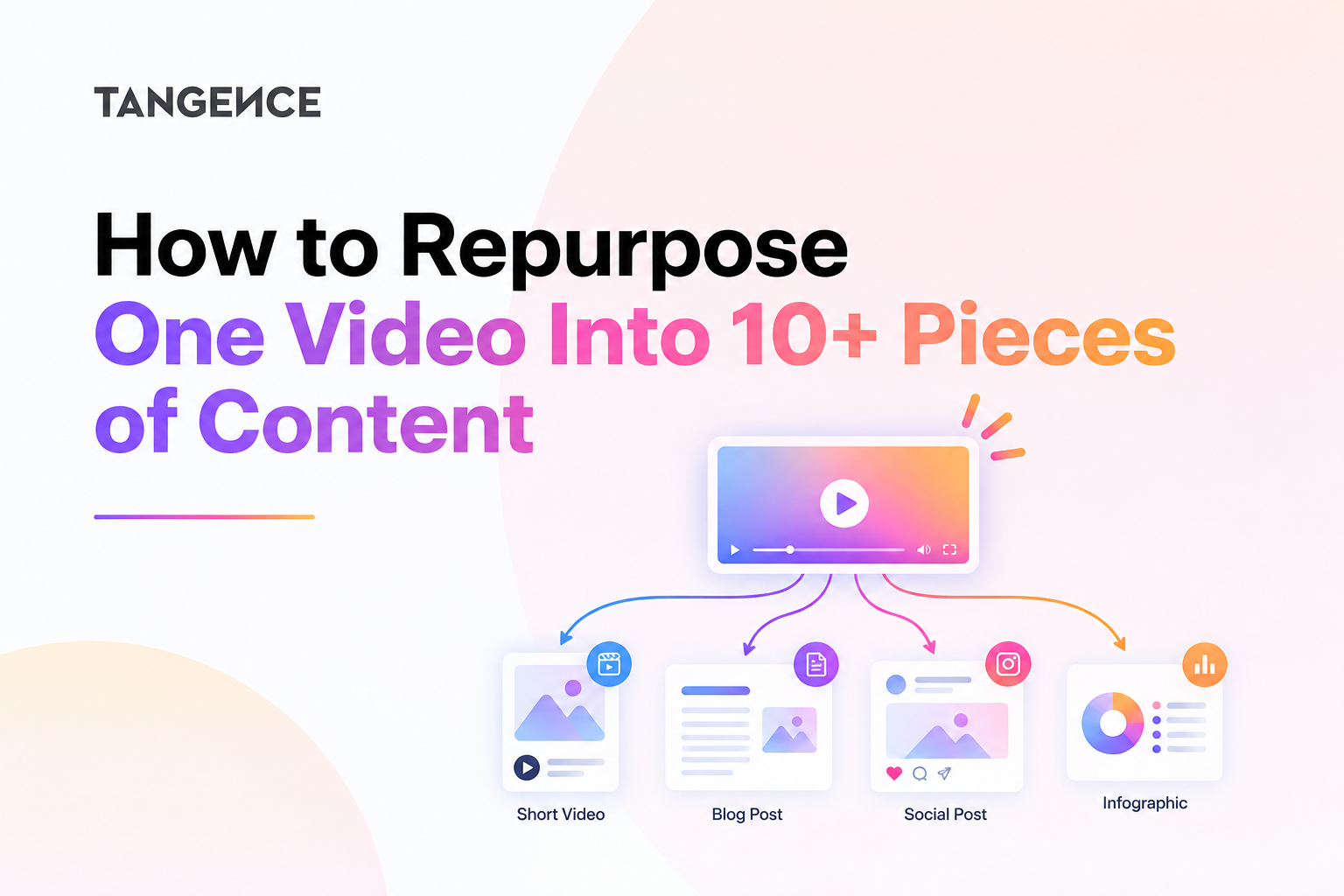
What if you could turn that single video into more than ten pieces of content? One well-planned video can become blog posts, social media updates, short clips, emails, and more.
Video repurposing helps you reach more people, extend the life of your content, and make better use of your creative work. The key is to adapt each piece to the platform and audience instead of copying the same content everywhere.
Marketers who repurpose content achieve 300% to 400% increase in audience reach while spending only 20% to 40% of the time and cost of new content. That is a huge win for busy teams.
The average person now uses 6.8 different social networks each month. Your audience is spread out. One video format cannot reach them all.
This guide will show you exactly how to repurpose one video into 10+ pieces of content. Just steps you can use today.
Why Should You Repurpose One Video Into Multiple Content Pieces?
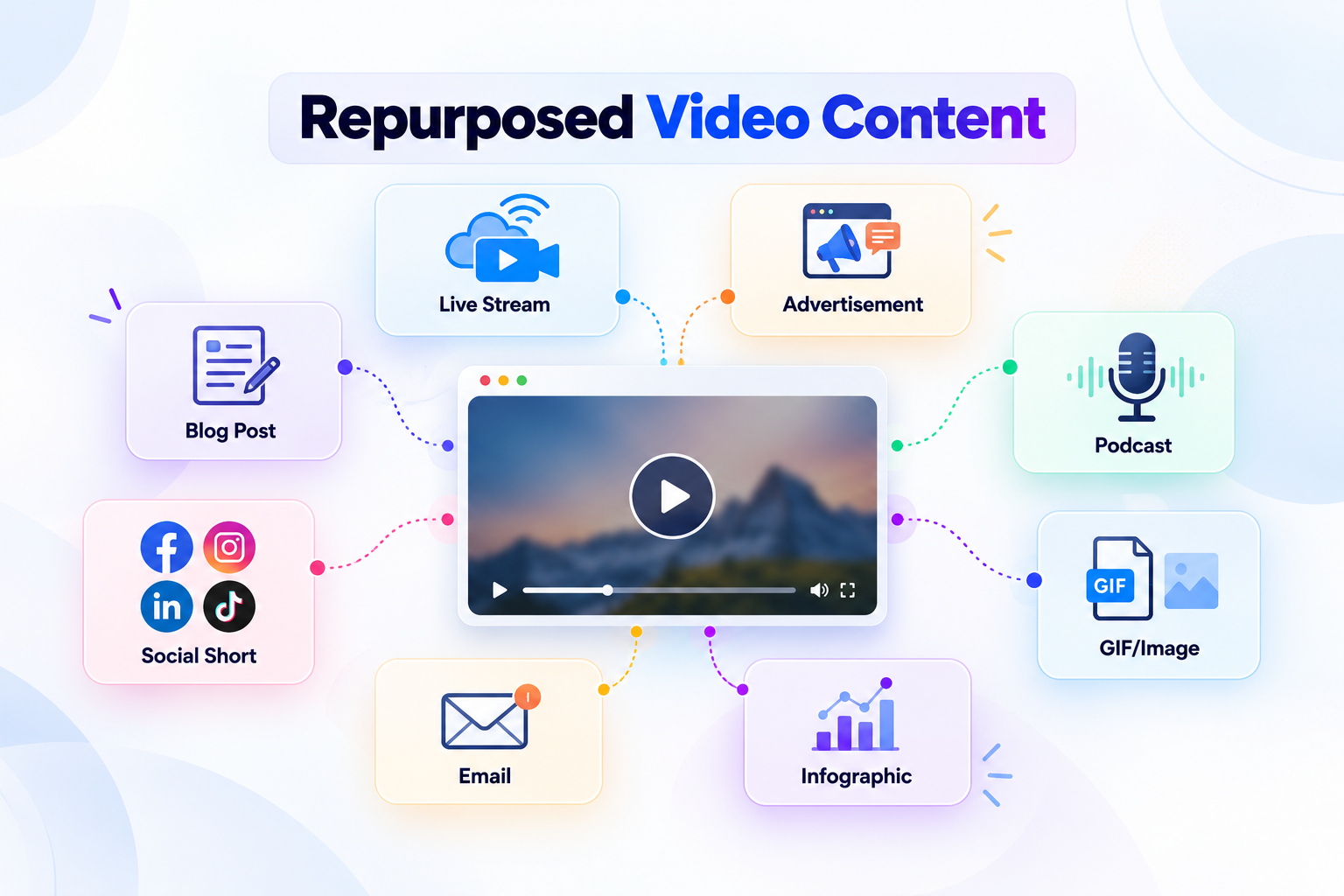
Video repurposing means turning one original video into different formats for different channels. You keep the main idea, but change the presentation to fit each audience.
For example, a 20-minute video about content marketing can become:
- Short videos for Instagram and YouTube Shorts.
- A detailed blog post for your website.
- LinkedIn posts with practical tips.
- An email newsletter.
- A carousel with key lessons.
- A quote graphic.
- A checklist or downloadable guide.
Why Repurposing Video Matters for Your Business
It Saves You Time and Money
Making new content from scratch takes hours. You have to write scripts, film, edit, and publish. Repurposing cuts that work down.
When you repurpose, you take something you already made and reshape it. You do not start from zero. This means you can publish more often without hiring more people.
It Reaches More People on More Platforms
Your audience does not live in one place. Some people love YouTube. Others scroll TikTok. Others read blogs. Others listen to podcasts.
One video can feed all these channels. You just need to change the format. This helps you show up where your customers already are.
It Boosts Your SEO and Discoverability
Search engines love fresh content. When you repurpose a video into a blog post, you create text that Google can index. This helps people find you through search.
Short-form video also generates about 2.5x more engagement than long-form on social platforms. By cutting your video into clips, you tap into that power.
How to Turn One Video Into 10+ Pieces of Content
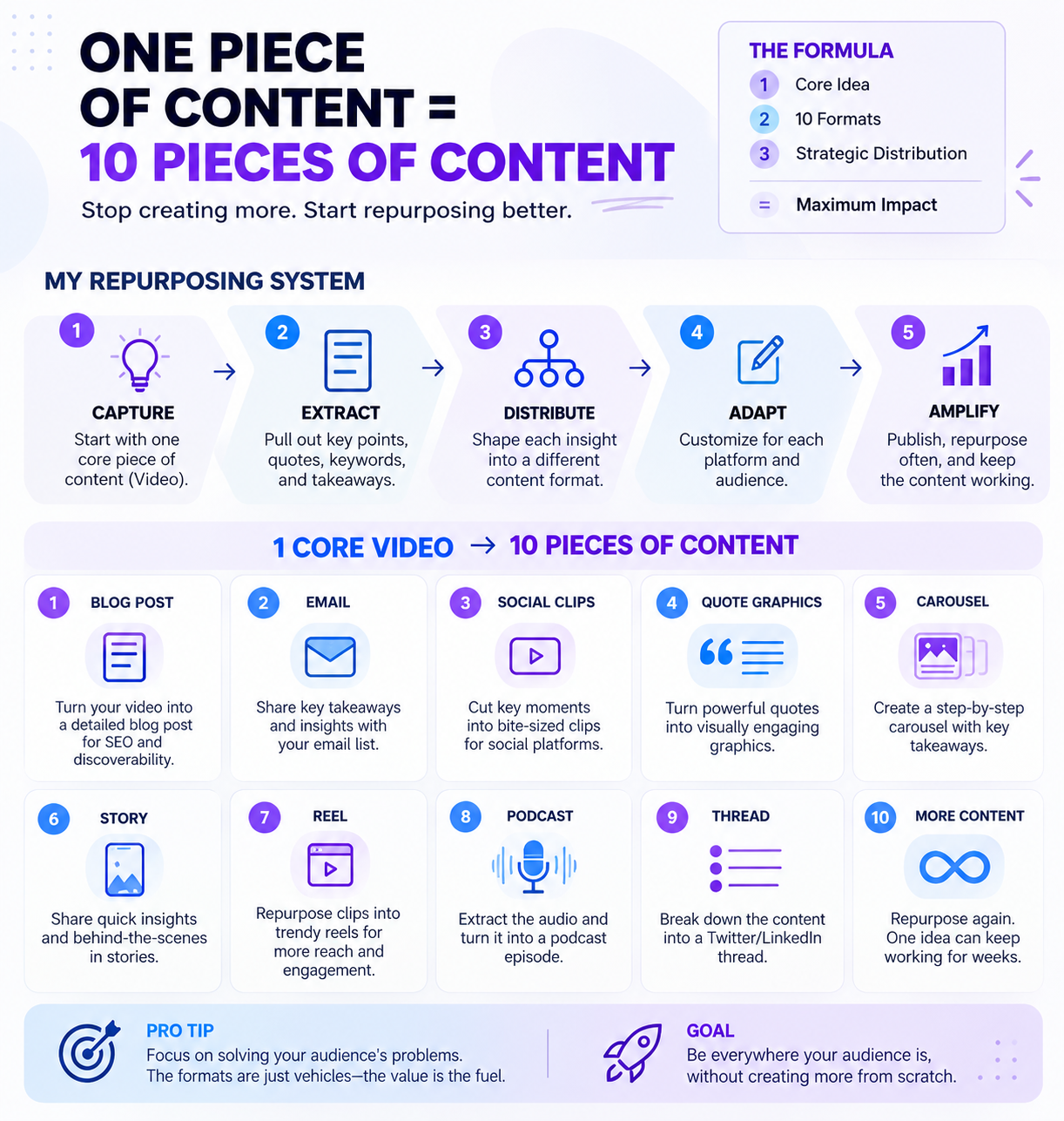
The best way to repurpose a video is to start with a clear content plan. First, identify the main topic. Next, find the strongest points, examples, and questions in the recording. Then, adapt those ideas into useful formats.
Here are 12 content pieces you can create from one video.
1. Create a Detailed Blog Post
A blog post is one of the most useful ways to extend a video. It gives your audience a text-based version of the topic and creates a page that you can optimize for search.
Start by reviewing the video transcript. Identify the main question, key lessons, examples, and supporting details. Then, organize them into a clear article.
Do not copy the transcript word for word. Instead, improve the structure and add details that help readers understand the topic.
Example:
A video titled How to Improve Your Email Marketing can become a blog post called 10 Email Marketing Tips That Help Businesses Reach More Customers.
Include:
- A direct answer to the main question.
- Clear H2 and H3 headings.
- Step-by-step instructions.
- Relevant examples.
- A short FAQ section.
Add the original video to the article when it helps readers learn more.
2. Produce Short-Form Video Clips

Short clips allow you to share individual ideas from a longer recording. Each clip should focus on one clear message.
Look for sections that answer a question, explain a mistake, share a useful tip, or provide a practical example. Remove long pauses and unnecessary details.
You can create different versions for TikTok, Instagram Reels, LinkedIn, and YouTube Shorts. Check each platform’s current video specifications before publishing.
Example:
From a 20-minute video about SEO, you might create these clips:
- Three SEO mistakes beginners make.
- How to find a useful keyword.
- Why search intent matters.
- One simple way to improve a title.
- A common internal linking mistake.
Add captions and a clear opening line. The first few seconds should help viewers understand why the clip matters.
3. Write LinkedIn Posts
LinkedIn posts work well for professional insights, lessons, and business examples. You can use a video’s main ideas to create several text-based posts.
Start with one point from the recording. Explain the problem, share the lesson, and offer a practical takeaway.
Avoid posting the full video transcript as a LinkedIn update. Instead, make the post easy to scan and useful on its own.
Example:
A video about customer experience could produce a LinkedIn post on why slow support affects customer trust. Another post could explain how businesses can use customer feedback to improve their service.
You can also add a short video clip to support the post.
4. Design an Educational Carousel
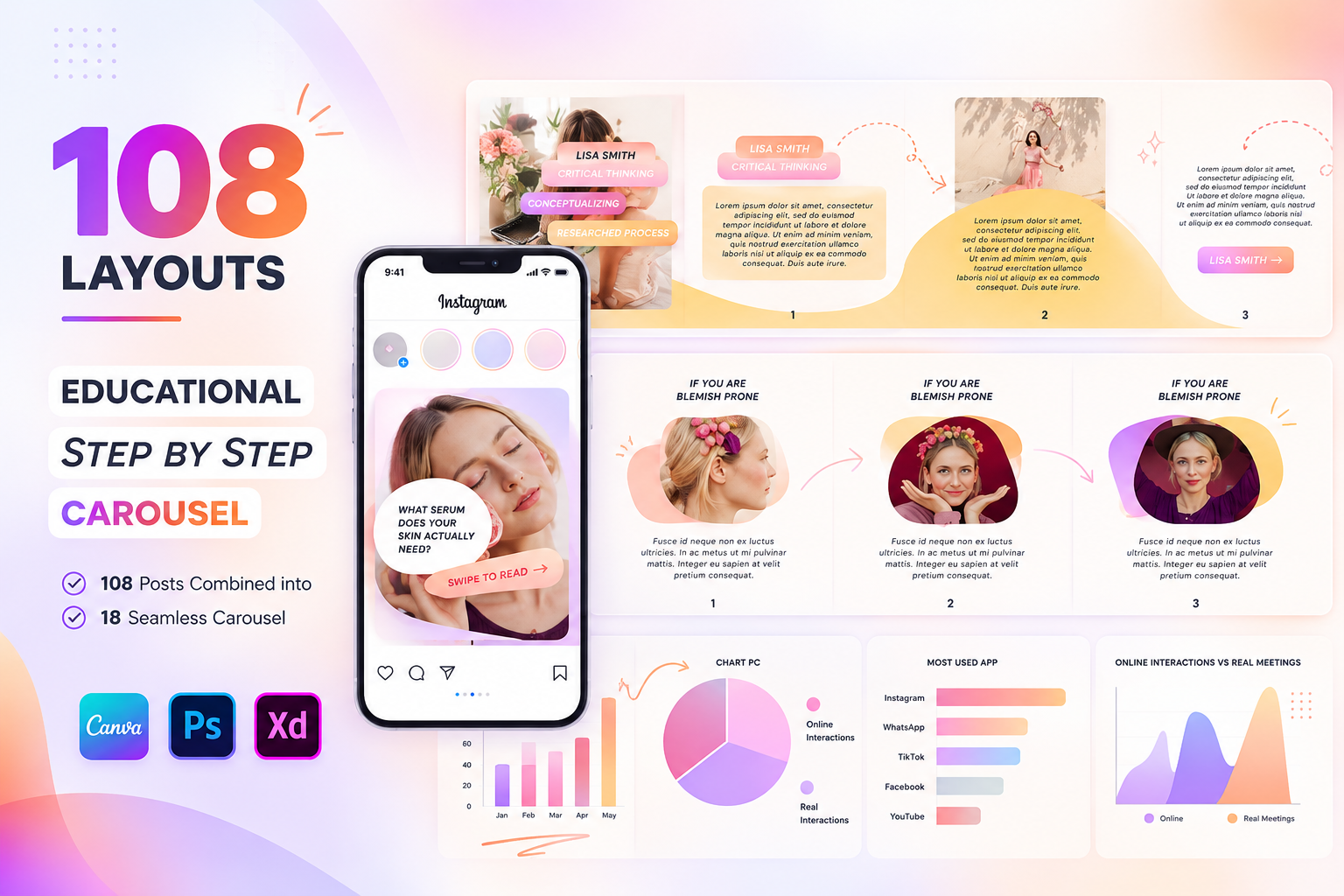
An educational carousel design template breaks one topic into long-form text or a video into multiple swipeable slides that maximize user engagement on platforms like LinkedIn and Instagram.
This format works well for step-by-step guides, checklists, mistakes, and comparisons.
For example, a video about content planning could become a seven-slide carousel:
- Why content planning matters.
- Define your target audience.
- Choose one main topic.
- Find related questions.
- Select the right content formats.
- Create a publishing plan.
- Measure and improve results.
Use short sentences and readable text. Make the first slide clear enough to encourage the audience to continue. Also, you should add screenshots from the video to add authenticity.
5. Create an Email Newsletter
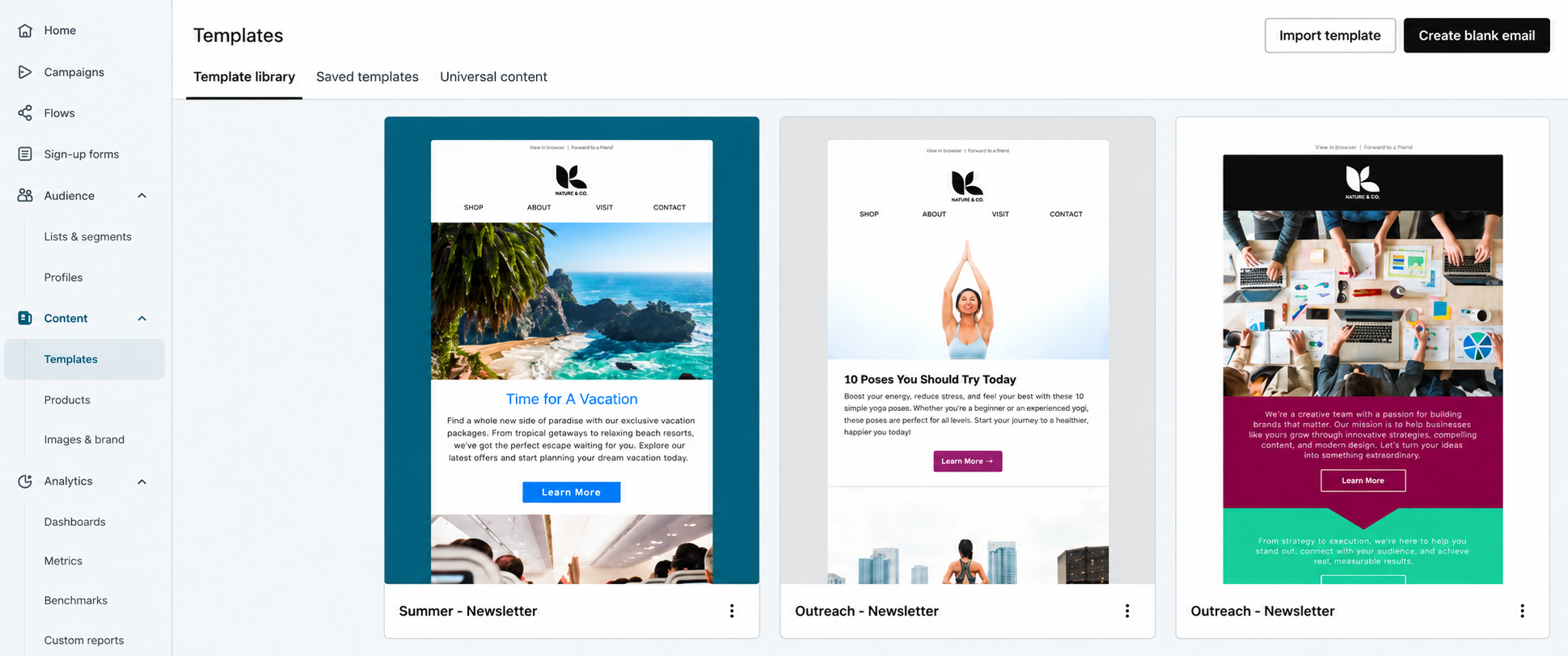
Source: Klaviyo
A newsletter is a perfect way to build trust with your target audience without constantly selling them something. Your video can also be turned into an email that shares one useful lesson with subscribers.
You do not need to include every point from the recording. Choose the most relevant insight for your audience. Explain why it matters, then link to the full video or related blog post.
Why would one include a newsletter when there is so much other content available already?
Two reasons why:
- It’s not that difficult to recycle all of your other content into newsletter content.
- Once you establish a routine for the newsletter, it doesn’t take as much time as one might think
Example:
A video about lead generation could become an email titled:
One Lead Generation Mistake Your Business Should Avoid
The email can explain the mistake, share a short example, and direct readers to the complete video.
This approach helps you connect video content with your existing email marketing efforts.
6. Turn Key Insights Into Quote Graphics
A quote graphic turns an important statement from your video into a simple visual post. It helps your audience understand and remember one useful idea without watching the full recording.
For example, a video about building customer trust might explain why clear communication matters. You can turn this lesson into a graphic that says, “Clear communication helps customers understand what to expect.”
Add a clean design, readable fonts, and your brand colors to make the message easy to follow. Then, write a short caption that explains the quote and gives a practical tip.
Choose statements that offer real value instead of vague motivational phrases. If the quote comes from a guest or expert, check the original video to confirm the exact wording. This keeps your content accurate, trustworthy, and professional.
7. Build a Downloadable Checklist
Checklists turn educational content into a practical resource. They can also support lead generation when you offer them through a landing page.
Review your video and identify the actions your audience should take. Then, organize those actions into a simple checklist.
Example: Video about website SEO
Your checklist might include:
- Check page titles.
- Review meta descriptions.
- Improve internal links.
- Test mobile usability.
- Check important pages for indexing issues.
- Review page loading performance.
Make sure the checklist adds value beyond a simple copy of the video. Add short instructions or useful examples where needed.
8. Create a Short Podcast or Audio Version

If your video contains a clear discussion or educational explanation, you may be able to adapt it into audio content.
Start by removing visual references. Rewrite phrases such as “look at this chart” when the audience cannot see the chart.
You can also record a short audio summary instead of using the full video recording.
Example:
A 15-minute video about business growth can become a five-minute audio episode covering three practical lessons.
Check sound quality, remove long pauses, and add an introduction that explains the topic.
9. Publish a Question-and-Answer Post
Videos often answer several questions that your audience may search for later. These questions can become individual posts.
Review the recording and list the questions that appear in the discussion. Then, write a direct answer to each one.
Example:
Video topic: How Does Content Marketing Help Small Businesses?
Potential Q&A posts:
- What is content marketing?
- How often should a small business publish content?
- What types of content attract potential customers?
- How can businesses measure content marketing results?
Keep each answer focused. Link to a more detailed article or video when readers need additional context.
10. Create a Follow-Up Video
One video can reveal several related topics. Use those topics to plan follow-up videos.
Pay attention to questions that your original recording does not fully answer. You can also review audience comments to find areas that need more explanation.
Example:
Original video: How to Start SEO for a Small Business
Follow-up videos:
- How to choose local SEO keywords.
- How to create a Google Business Profile strategy.
- How to track organic traffic.
- How to improve website content.
This approach helps you build a connected content series instead of publishing unrelated topics.
11. Develop a Case Study or Real-World Example
If your video includes a customer story, process, or project, you can adapt it into a case study.
A strong case study explains the problem, the steps taken, and the results. Use verified data and clearly identify the source of any claims.
Example:
A video about improving an ecommerce website could become a case study that covers:
- The original business challenge.
- The changes made to the website.
- The process used to evaluate results.
- The lessons other businesses can apply.
Avoid inventing customer results. If you do not have permission to share private information, remove identifying details or use a clearly labeled hypothetical example.
Related Post: 8 Content Repurposing Trends Shaping the Future
How to Repurpose a Video Step by Step
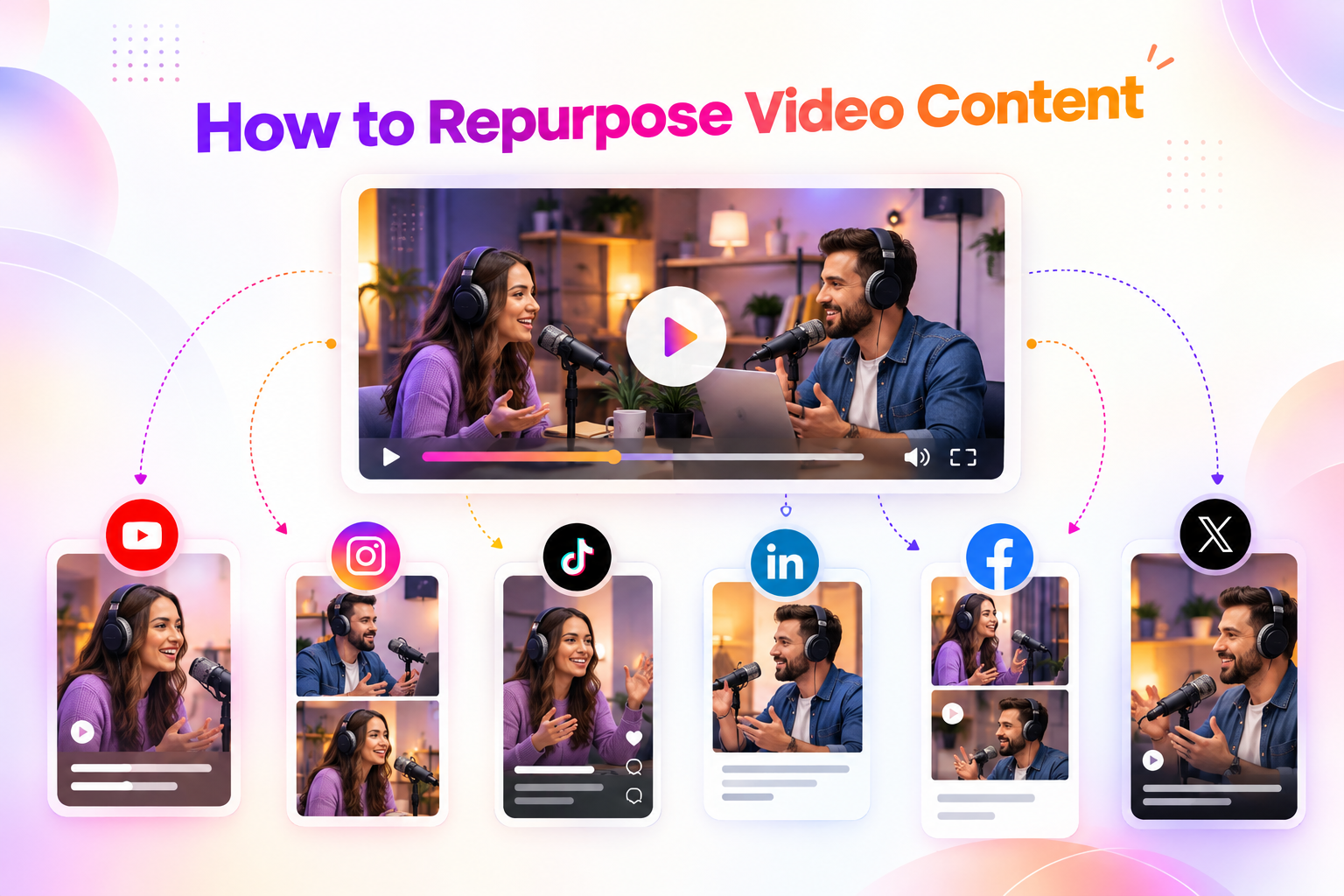
A repeatable process helps your team save time and maintain quality. Instead of creating content randomly, follow a clear workflow.
Step 1: Choose the Right Video
Start with a video that contains useful information. It could be a webinar, interview, tutorial, product demonstration, or educational presentation.
Look for videos that:
- Answer a common customer question.
- Explain a process.
- Include expert insights.
- Offer useful examples.
- Address a real business problem.
Not every video needs to produce 10 pieces of content. The topic, length, audience, and quality of the recording should guide your plan.
Step 2: Review the Transcript
A transcript makes it easier to find useful moments. You can review the video manually or use a transcription tool.
Mark sections that contain:
- Important lessons.
- Strong explanations.
- Useful statistics.
- Customer questions.
- Examples and stories.
- Clear statements from experts.
Check every extracted point against the original recording. Transcription tools can make mistakes, especially with names, numbers, and technical terms.
Step 3: Create a Content Map
A content map connects each idea to a specific format. This prevents your team from repeating the same message in every channel.
| Content Piece | Main Purpose | Possible Channel |
| Blog post | Explain the topic in depth | Website |
| Short videos | Share one key lesson | Reels, shorts |
| LinkedIn post | Share professional insight | |
| Carousel | Teach steps visually | LinkedIn, Instagram |
| Engage subscribers | Newsletter | |
| Quote graphic | Highlight a clear idea | Social media |
| Checklist | Provide an action resource | Website |
| Audio summary | Share key lessons | Podcast platform |
| Q&A post | Answer audience questions | Blog, social media |
| Follow-up video | Explore a related topic | YouTube, social |
| Content brief | Plan future content | Internal team |
You can start with five formats and expand as your team gains experience.
Step 4: Adapt Content for Each Platform
Avoid publishing the same content everywhere without changes. Each platform has its own audience habits, format needs, and user expectations.
For example:
- A LinkedIn post may focus on a business lesson.
- An Instagram Reel may highlight a quick tip.
- A blog post may explain the complete process.
- An email may share one useful takeaway.
HubSpot’s 2026 research reports that 49.4% of teams reuse the same content across platforms, while 39.5% tailor content for each platform. This highlights the difference between simple reuse and channel-specific adaptation.
The goal is not to create a completely new idea for every channel. The goal is to present the same valuable idea in a way that fits the channel.
Step 5: Edit, Review, and Publish
Before publishing, check each content piece for accuracy, clarity, and brand consistency.
Your review process should cover:
- Spelling and grammar.
- Facts and statistics.
- Video captions.
- Links and calls to action.
- Brand tone.
- Platform requirements.
If you use AI tools, treat their output as a draft. Review the final content yourself. HubSpot’s 2026 research highlights the value of human approval in AI-supported content workflows.
How to Use AI Tools for Video Repurposing
AI tools can help you speed up parts of the repurposing process. They can assist with transcription, idea generation, captions, summaries, and content drafts.
However, AI should support your content team rather than replace editorial review.
Use AI for Transcripts and Content Ideas
Start by creating a transcript of your video. Then, use an AI tool to identify possible content angles.
For example, you can ask the tool to:
- Summarize the main points.
- Identify five short-video ideas.
- Find questions answered in the video.
- Suggest blog post headings.
- Create a draft email.
- Extract important quotes.
Review the output against the original recording. AI may miss context or create statements that the speaker never made.
Create Platform-Specific Drafts
You can use AI to adapt a single idea into different formats. Give the tool clear instructions about your audience, tone, length, and goal.
For example:
Turn this video transcript into a LinkedIn post for US business owners. Focus on one practical lesson. Use short sentences and avoid unsupported claims.
You can then create a separate brief for a short video or blog post. This helps you keep the core message consistent while adjusting the format.
Keep Human Review in the Workflow
AI can help with speed, but your team should make the final decisions about accuracy, tone, and usefulness.
Review every draft for:
- Incorrect facts.
- Repeated ideas.
- Generic statements.
- Missing context.
- Unsupported performance claims.
- Inconsistent brand language.
This matters even more when your content covers finance, healthcare, legal topics, or other areas where incorrect information can harm readers.
Common Mistakes to Avoid When Repurposing Video
Repurposing can save time, but poor execution can reduce content quality. Avoid these common mistakes.
Publishing the Same Content Everywhere
A direct copy of a video transcript may not work as a social post. A long blog introduction may not work as a short video opening.
Adapt the content to the channel. Keep the core idea, but change the format, length, and presentation.
Creating Too Many Weak Content Pieces
Not every sentence in a video needs to become a separate post. Choose ideas that answer real questions or provide useful information.
If a short clip adds no value beyond the original video, leave it out.
Ignoring Accuracy and Context
Short clips can remove important details. A statement that makes sense in a 20-minute discussion may become misleading when shown alone.
Review clips in context. Add clarifying text when necessary, and avoid editing that changes the speaker’s meaning.
Using Unverified AI Output
AI tools can produce incorrect facts, inaccurate quotes, and unsupported claims. Always check generated content against the original video and reliable sources.
This is especially important when you publish statistics or expert advice.
Forgetting the Content Goal
Every asset should have a purpose. Some content may build awareness, while other content may support leads or sales.
Define the goal before you create the piece. Then, choose a relevant call to action and measure the right metric.
Conclusion
Repurposing one video into 10 or more content pieces helps your business make better use of existing creative work. You can turn a single recording into blog posts, short videos, emails, carousels, checklists, and more.
For better search visibility, focus on clear answers, helpful structure, reliable sources, and relevant internal links. Finally, measure performance based on your goals.
The goal is not to publish more content just for the sake of volume. It is to create more useful ways for your audience to discover, understand, and act on your message
Ready to turn your existing videos into high-quality content that drives engagement? Tangence helps businesses repurpose video content into blogs, social media posts, and marketing assets with a clear strategy. Connect with Tangence today to maximize your content’s reach and value.
Frequently Asked Questions
1. How many pieces of content can you create from one video?
You can create 10 or more content pieces from one video, depending on its length, topic, and quality. Possible formats include blog posts, short clips, social posts, emails, and checklists.
2. What is the best video length for repurposing?
There is no single ideal length. A video should be long enough to cover its topic clearly and provide useful information. Webinars, interviews, and tutorials can offer several repurposing opportunities.
3. Can AI tools automate video repurposing?
AI tools can help with transcription, summaries, captions, content ideas, and draft creation. However, human review remains important for accuracy, context, brand voice, and quality.
4. How can I repurpose a video for SEO?
Create a useful blog post from the video, organize it with clear headings, answer relevant questions, and add reliable sources. Include the video when it supports the reader’s needs.
5. How does Tangence help businesses repurpose video content?
Tangence can support businesses with content planning and adaptation across formats. The specific services, workflow, and deliverables depend on your business goals and project requirements.
6. Can Tangence create social media content from existing videos?
Yes. Tangence can help businesses explore social media content adaptations from existing video material. Discuss your video library, target platforms, content goals, and required formats with the team.
7. How should businesses measure the success of repurposed content with Tangence?
Set clear goals before publishing. Depending on the campaign, track engagement, website traffic, leads, conversions, and content production efficiency. Tangence can help align the content plan with your selected marketing objectives.